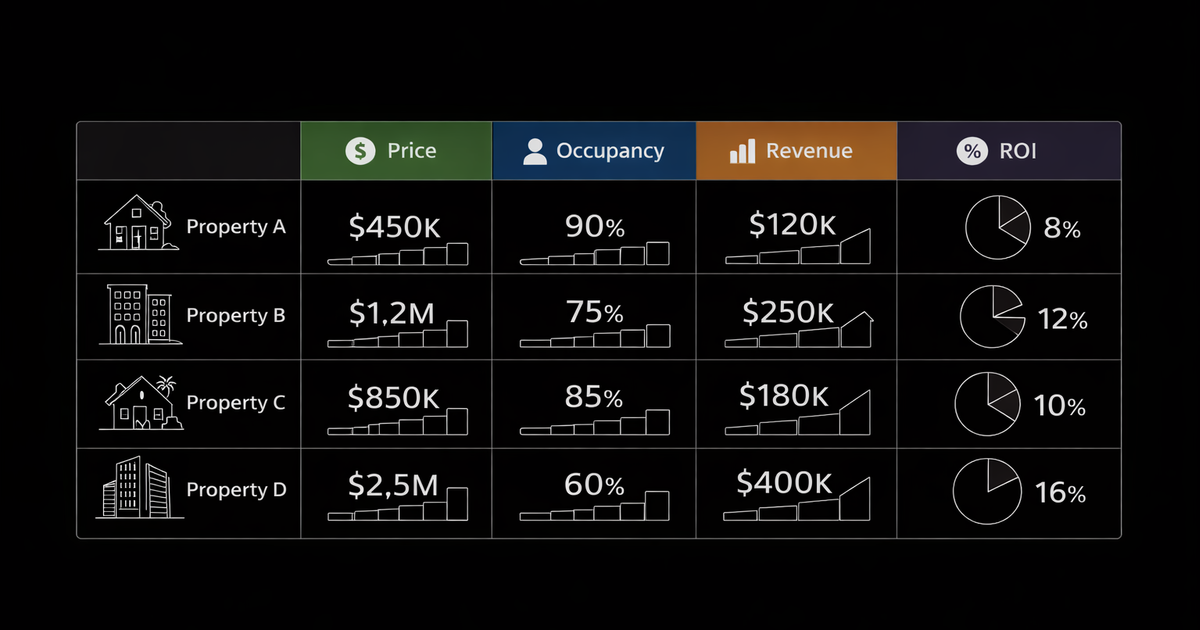
Real Estate Deal Analysis Spreadsheet: What to Include and How to Use It
A real estate deal analysis spreadsheet calculates cash flow, cash-on-cash return, cap rate, and DSCR from property inputs, the tool that turns gut feelings about deals into actual numbers before you commit capital.
Why Spreadsheets Still Matter
Apps and calculators exist, but spreadsheets remain essential for serious investors:
Customization. Your analysis needs might differ from generic calculators. Spreadsheets adapt to your model.
Scenario testing. Change one input, see the impact instantly. What if vacancy is 8% instead of 5%? What if rates drop and you refinance?
Audit trail. See exactly how every number was calculated. No black-box formulas.
Offline access. Works anywhere. No subscription. No login.
I analyze every deal in a spreadsheet first, even when I use a rental property calculator for quick filtering.
The Five Sections Every Spreadsheet Needs
Section 1: Property Inputs
The raw data that drives everything else.
Critical: These inputs determine everything. Garbage in, garbage out. Don't estimate when you can verify.
Section 2: Financing Assumptions
How you're structuring the loan.
What to model:
- Current market rates, not last year's rates
- Actual loan terms, get pre-qualified to confirm
- All closing costs: lender fees, title, appraisal, prepaid expenses
Sensitivity analysis: Model at current rate AND at +0.5% and +1%. If the deal only works at 6.5% and rates are 7.5%, you're betting on rate drops.
Section 3: Operating Expenses
Every cost of owning and running the property.
The line everyone forgets: Property management. Even if you self-manage, include it. When you calculate 12% cash-on-cash and realize you're working 5 hours monthly for that return, the math changes.
Section 4: Cash Flow Calculation
Where the analysis comes together.
Gross Rental Income − Vacancy Allowance = Effective Gross Income
− Property Taxes − Insurance − HOA − Property Management − Repairs − CapEx Reserves − Utilities = Net Operating Income (NOI)
− Mortgage Payment (P&I) = Monthly Cash Flow
Monthly Cash Flow × 12 = Annual Cash Flow
Your spreadsheet should show:
- Monthly cash flow
- Annual cash flow
- Per-door cash flow (for multi-unit)
Section 5: Return Metrics
The numbers that determine whether to buy.
Include all three return metrics. Cash-on-cash shows your return on invested capital. Cap rate shows property return independent of financing. DSCR determines financing eligibility.
Advanced Spreadsheet Features
Scenario Comparison
Add columns for multiple scenarios:
See how sensitive returns are to key assumptions.
Multi-Year Projection
Project cash flow over 5-10 years including:
- Rent growth (2-4% annually)
- Expense growth (2-3% annually)
- Principal paydown
- Appreciation (3-5% annually)
This shows total return, not just year-one cash flow. A property with modest cash flow but strong equity growth may outperform high cash flow in a flat market.
Exit Analysis
Model your sale:
- Projected sale price (purchase price × appreciation factor)
- Selling costs (6-8% for commissions + closing)
- Mortgage payoff
- Net proceeds
- Equity multiple (Total distributions ÷ Total invested)
I don't buy anything without knowing my exit math.
Common Spreadsheet Mistakes
Using unrealistic vacancy
Wrong: 0-3% vacancy (only possible with perfect tenants who never move) Right: 5-8% for average markets, 3-5% for strong demand areas
One month vacancy = 8.3% annual vacancy. Two months = 16.7%. Model reality.
Ignoring CapEx
Wrong: Only modeling repairs (what breaks this year) Right: Modeling repairs AND CapEx reserves (roof, HVAC, water heater in future years)
The roof doesn't cost you $200/month, until year 15 when you need $15,000. Reserve monthly or lie to yourself about returns.
Comparing apples to oranges
Wrong: Evaluating a BRRRR deal with buy-and-hold assumptions Right: Using the right analysis for each strategy
BRRRR success = capital recovery percentage Buy-and-hold success = ongoing cash flow and equity growth Flip success = profit margin and ROI
Use the right framework.
Trusting seller numbers
Wrong: Using the seller's rent, tax, and expense figures Right: Verifying every input independently
Sellers inflate rent (quote asking rent, not actual), minimize taxes (haven't reassessed in years), and hide expenses. Verify property taxes with the county. Get insurance quotes. Pull rent comps yourself.
Download and Next Steps
Build your own spreadsheet with the sections above, or download our rental property analysis template with:
- All calculations pre-built
- Scenario comparison tabs
- 10-year projection model
- Exit analysis
- Side-by-side deal comparison
For ongoing portfolio tracking after purchase, use Operator to monitor actual performance against your original projections.
FAQ
What should be in a real estate deal analysis spreadsheet?
A deal analysis spreadsheet should include five sections: property inputs (price, rent, taxes, insurance), financing assumptions (down payment, rate, term), operating expenses (vacancy, management, repairs, CapEx), cash flow calculation (income minus expenses minus mortgage), and return metrics (cash-on-cash, cap rate, DSCR). Include scenario comparison to test different assumptions.
How do you analyze a rental property deal?
Analyze rental property deals by calculating monthly cash flow (rent minus all expenses minus mortgage) and key return metrics: cash-on-cash return (annual cash flow ÷ total cash invested), cap rate (NOI ÷ purchase price), and DSCR (NOI ÷ debt payments). Target 8-12% cash-on-cash, 1.25+ DSCR, and positive monthly cash flow after realistic vacancy and expense assumptions.
What mistakes do investors make in deal analysis?
Common mistakes include using 0% vacancy (use 5-8%), ignoring CapEx reserves (budget 1% of property value annually), excluding property management (include 8-10% even if self-managing), trusting seller-provided numbers (verify independently), and using outdated interest rates. Conservative assumptions beat optimistic projections; you'll actually hit your numbers.
Built for this
Operator runs every metric in this article automatically. Add a property, and you'll see cap rate, cash-on-cash, DSCR, and NOI in seconds — not hours. Your deal library saves every analysis so nothing gets lost.