Real Estate Portfolio Management Software: What Investors Actually Need
Real estate portfolio management software tracks income, expenses, and performance across multiple investment properties, replacing scattered spreadsheets with a system that shows portfolio health at a glance.
What Portfolio Management Software Does
At its core, portfolio software answers: "How is my portfolio performing right now?"
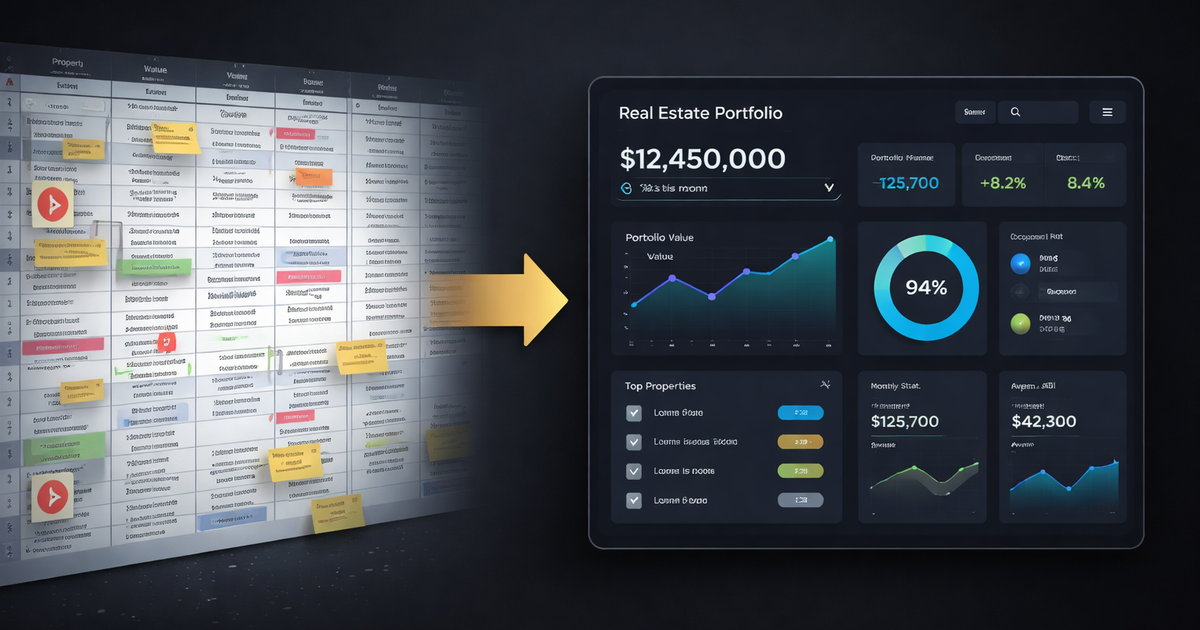
Without software: You open 4 spreadsheets, reconcile bank statements, manually calculate NOI for each property, and hope you didn't miss a transaction. This takes 3-5 hours monthly at 5+ properties.
With software: You see total portfolio NOI, cash flow by property, vacancy rates, and rent vs. market comps on a single dashboard. Updated automatically.
The time savings scale with portfolio size. At 10 properties, you're saving 8-12 hours monthly. At 20 properties, the spreadsheet approach simply breaks. If you're building a real estate portfolio, the right software pays for itself early.
The Two Categories: Tracking vs. Analysis
Most tools fall into one of two camps:
Bookkeeping-First Tools (Stessa, Baselane, RentRedi)
These track transactions and categorize expenses. They're digital versions of your spreadsheet.
Strengths:
- Income and expense tracking
- Receipt capture
- Tax-ready reports (Schedule E)
- Bank account integration
Weaknesses:
- No market data or rent monitoring
- No deal analysis
- No portfolio analytics beyond accounting
- Tell you what happened, not what to do
Analysis-First Tools (DealCheck, BiggerPockets Calculators)
These analyze potential deals before purchase.
Strengths:
- Cash flow projections
- ROI calculations
- Deal comparison
Weaknesses:
- One-time analysis, not ongoing monitoring
- No portfolio tracking after you buy
- No actual performance vs. projection comparison
The gap: Most investors need both: tracking what you own AND analyzing how it performs against market. Few tools do both well.
What to Look for in Portfolio Software
1. Rent Monitoring Against Market
The most expensive mistake in portfolio management: collecting $1,500/month when market rent is $1,800. A comparable market analysis tells you what you should be charging.
Software should show your actual rent vs. comparable market rents for each property. Not just at acquisition, but continuously.
Why it matters: I discovered one property was $225/month below market. I had been collecting $1,475 for 3 years while market moved to $1,700. Lost income: $8,100. I didn't know because my spreadsheet didn't track market comps.
2. Portfolio-Level Analytics
Per-property tracking is necessary but insufficient. You need portfolio views:
- Total NOI across all properties
- Weighted average cap rate
- Portfolio vacancy rate
- Cash flow trend over time
- Debt coverage across portfolio
If one property underperforms, it should be obvious against portfolio averages, not buried in a spreadsheet tab you never open.
3. Automated Data Entry
Manual entry is where spreadsheets fail. You forget a transaction, mis-categorize an expense, skip a month. Data degrades.
Good software connects to bank accounts and automatically categorizes transactions. You review and correct, not enter from scratch.
4. Useful Alerts
You don't want to log in daily. Software should push information to you:
- Rent below market threshold
- Unusual expense
- Lease expiring in 60 days
- Property underperforming portfolio average
If you only check quarterly, critical info should reach you anyway.
5. Lender-Ready Reports
Eventually you'll refinance or acquire new properties. Lenders want:
- Rent rolls
- Operating statements
- Trailing 12-month financials
Generating these manually takes hours. Software should export them in minutes.
How Popular Tools Compare
Stessa (Free / $20 month Pro)
What it does: Income/expense tracking, receipt capture, Net Worth tracking, financial reports.
What it doesn't do: Market rent monitoring, deal analysis, portfolio analytics beyond accounting.
Best for: Investors who need expense tracking and tax prep, not portfolio analysis.
Limitation: Owned by Roofstock. Tracks what happened but doesn't tell you what to do. If your rent is $200 below market, Stessa won't flag it.
Baselane (Free / Premium tiers)
What it does: Banking, rent collection, expense tracking, bookkeeping.
What it doesn't do: Portfolio analytics, market comps, deal analysis.
Best for: Landlords who want banking and rent collection integrated.
Limitation: It's a bank that added property features, not property software that added banking. Analytics are basic.
DealCheck ($15-25/month)
What it does: Deal analysis, ROI projections, property comparison.
What it doesn't do: Portfolio tracking, expense monitoring, post-purchase analytics.
Best for: Analyzing deals before purchase.
Limitation: One-time analysis tool. Once you buy, DealCheck's job is done. No ongoing portfolio monitoring.
Landlord Studio ($12/month)
What it does: Income/expense tracking, rent collection, maintenance tracking.
What it doesn't do: Market data, portfolio analytics, deal analysis.
Best for: Self-managing landlords who need operational tracking.
Buildium / AppFolio
What they do: Full property management operations: tenants, maintenance, accounting.
What they don't do: Investor-focused analytics, market monitoring, deal analysis.
Best for: Property managers or landlords managing for others.
Limitation: Built for operations, not investment analysis. Overkill for self-managing investors.
Operator ($25/month)
What it does: Portfolio tracking, rent monitoring against live market comps, AI-powered deal analysis, performance alerts, lender-ready exports.
What it doesn't do: Property management operations (tenant screening, maintenance requests, rent collection).
Best for: Investors who want to know if their portfolio is optimized, not just tracked.
Differentiator: Unlike tracking tools, Operator surfaces hidden losses. If your rent is below market or your property underperforms, you know in days, not months.
Making the Choice
Choose accounting-first tools (Stessa, Baselane) if:
- Your primary need is expense tracking and tax prep
- You don't need market data or portfolio analytics
- Free tier meets your needs
Choose deal analysis tools (DealCheck) if:
- You're in acquisition mode analyzing many deals
- You have separate systems for portfolio tracking
- One-time analysis is sufficient
Choose Operator if:
- You want to know portfolio performance, not just transactions
- Market rent monitoring matters to you
- You've outgrown spreadsheets but don't need full property management software
The right tool depends on your portfolio stage and what problems you're solving.
Spreadsheets vs. Software: The Breaking Point
Spreadsheets work until they don't. The breaking point varies:
1-3 properties: A rental property spreadsheet is fine. Time investment is low. Manual tracking is manageable.
4-7 properties: Spreadsheets strain. You're spending 5+ hours monthly on data entry and reconciliation. Errors creep in.
8+ properties: Spreadsheets break. You've lost transactions, your formulas have bugs, and you can't answer basic questions without 30 minutes of investigation.
I switched at property #6. My spreadsheet had grown to 8 tabs, 400+ rows, and I couldn't tell which properties were actually performing until I did a full audit.
FAQ
What is real estate portfolio management software?
Real estate portfolio management software tracks income, expenses, and performance across multiple investment properties. It consolidates property data into dashboards showing portfolio NOI, cash flow by property, vacancy rates, and market comparisons. It replaces scattered spreadsheets with automated tracking and analytics.
What's the difference between portfolio software and property management software?
Portfolio management software is investor-focused; it tracks financial performance, monitors market rents, and analyzes returns. Property management software is operations-focused; it handles tenant screening, maintenance requests, rent collection, and lease management. Investors who self-manage often need portfolio software, not full property management platforms.
When should I switch from spreadsheets to software?
Most investors hit the spreadsheet breaking point at 4-7 properties, when manual data entry exceeds 5 hours monthly and errors become common. At 8+ properties, spreadsheets typically fail: transactions get lost, formulas break, and answering basic portfolio questions requires lengthy investigation. Software pays for itself in time savings alone.
Built for this
Operator runs every metric in this article automatically. Add a property, and you'll see cap rate, cash-on-cash, DSCR, and NOI in seconds — not hours. Your deal library saves every analysis so nothing gets lost.