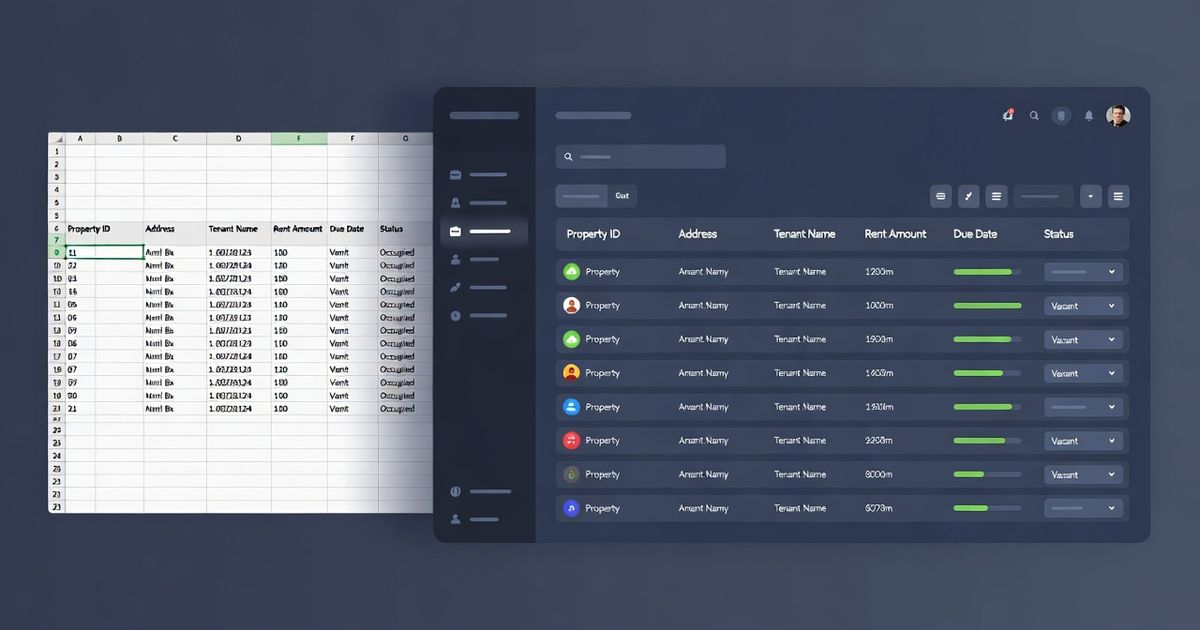
The Rental Property Spreadsheet: What to Track, How to Set It Up, and When to Replace It
A rental property spreadsheet should track seven things per property at minimum: gross rent, vacancy loss, operating expenses, debt service, monthly cash flow, cash-on-cash return, and lease expiration date. Most investor spreadsheets fail not because they're missing columns, but because the rent and expense inputs go stale within months and nobody updates them.
If you own two or more rentals, you need a system. A spreadsheet is a fine place to start. Below is the exact framework, what to track, how to lay it out, and a worked example with four properties, plus where spreadsheets hit their ceiling and what to do when they do.
What Your Rental Property Spreadsheet Needs to Track
Every property in your portfolio needs seven numbers. Skip any one of them and your spreadsheet is telling you a story that isn't true.
1. Gross Scheduled Rent
What the property should collect if every unit is occupied at current lease rates for 12 months. This is your top-line number. Everything else flows from it.
Where to get it: your lease agreement. Update it every time a lease renews or a new tenant signs.
2. Vacancy Loss
Budget 8% of gross rent. That accounts for roughly one turnover per year with 3–4 weeks of downtime plus make-ready costs. If you're using 5% or "zero because I've never had a vacancy," your cash flow projection is fiction. A single turnover typically costs 3–4 weeks of lost rent plus $500–1,500 in make-ready expenses.
How often it changes: annually, based on actual vacancy experience. Keep 8% as your baseline until you have 3+ years of history on a specific property.
3. Operating Expenses (Itemized)
Not a single lump number. Break it out:
- Property taxes: from your county assessor, not the listing. Verify annually; these can jump 10–20% after reassessment.
- Insurance: landlord dwelling policy, not homeowner's. A landlord policy typically runs 15–25% higher. Requote every 2 years.
- Property management: 10% of gross rent. Include this even if you self-manage, because your cash-on-cash return shouldn't depend on free labor. If you choose to self-manage, treat the savings as bonus return, not baseline.
- Maintenance reserve: 5% of gross rent. Covers routine repairs: faucets, locks, HVAC filters, garbage disposals, appliance fixes.
- CapEx reserve: 5% of gross rent. Covers major replacements: track these in a dedicated rental property expenses spreadsheet. Specifically: roof ($8,000–15,000), HVAC ($4,000–8,000), water heater ($1,200–2,000). Skip this line item and you'll wonder where $6,000 went in year three when the furnace dies.
For the formulas behind each line, see our rental property calculator walkthrough.
4. Debt Service
Your monthly principal and interest payment. If you have multiple loans on a property (first mortgage plus HELOC, for example), combine them. This number only changes at refinance.
5. Monthly Net Cash Flow
Cash Flow = (Gross Rent − Vacancy − Operating Expenses) ÷ 12 − Monthly Debt Service
This is what hits your bank account. A property can have strong NOI but negative cash flow if you're over-leveraged. Cash flow is the number you check first.
6. Cash-on-Cash Return
Cash-on-Cash = Annual Cash Flow ÷ Total Cash Invested × 100
Total cash invested = down payment + closing costs + rehab. This metric tells you whether your money is working hard enough. Most experienced investors target 8–12% cash-on-cash for a conventional buy-and-hold, though with 7%+ rates in 2026, many portfolios are running 3–6% and relying on principal paydown and rent growth to justify the hold.
For a deep dive on this metric, see our cash-on-cash return guide.
7. Lease Expiration Date
The most actionable number in your spreadsheet, and the one most investors forget to include. Every lease expiration is a decision point: renew at current rate, adjust to market, or prepare for turnover. If you don't know which leases expire in the next 90 days, you're making those decisions reactively instead of with data.
For multi-unit properties, track each unit's lease date separately.
Portfolio-Level Roll-Ups
Tracking per-property numbers is step one. The spreadsheet earns its keep when it rolls everything up into a portfolio view. Four totals:
Total monthly cash flow across all properties. This is your real number. If one property is negative but the portfolio is positive, you can carry it. If the portfolio is negative, you have a structural problem.
Total annual NOI: gross income minus vacancy minus operating expenses, before debt service, across the portfolio. Lenders care about this number. So should you, because NOI drives valuation. Your building's market value is roughly NOI ÷ cap rate. Underpriced rents don't just cost you monthly cash flow. They suppress what your buildings are worth.
Weighted average cash-on-cash return: total annual cash flow ÷ total cash invested. Tells you how your portfolio is performing, not just individual properties. A 5.2% property and a 1.8% property average out differently depending on how much capital is in each.
Lease expirations in the next 90 days: your action list. These are the properties where you need current rent comps before you set renewal terms. Not after.
If you can't see these four numbers in one glance, your spreadsheet isn't doing its job.
Example: 4-Property Portfolio Spreadsheet
Here's what a working rental property spreadsheet looks like. Four properties, all numbers visible, portfolio totals at the bottom.
Per-Property View
Portfolio Dashboard
What This Tells You at a Glance
The portfolio cash-flows $792/mo: positive, but thin. The 3.9% weighted cash-on-cash is below the 8% target, which is typical at current rates. The value in holding is principal paydown and long-term rent growth, not current yield.
Property C is the weakest performer at 1.8% cash-on-cash. That raises a question this spreadsheet can't answer: is $2,050/mo at market? If Property C is $150/mo below comparable 4BR SFHs in that zip code, adjusting at the June renewal would bring cash flow from $91/mo to $199/mo and cash-on-cash from 1.8% to 3.9%. That single adjustment adds $1,296/yr in cash flow. At a 7% cap rate, the NOI increase also adds roughly $18,500 to the property's valuation.
The two immediate action items are the lease expirations in the next 60 days: Property B Unit A (March) and Property D Unit B (April). Do you have current comp data for those units? If you're pulling comps manually, that's 30–60 minutes of research per unit. If you're not pulling comps at all, you're setting renewal terms without knowing whether your rents are at market, which is the most expensive blind spot in a rental portfolio.
The Three Things Most Rental Spreadsheets Get Wrong
The problem with a rental property spreadsheet isn't the layout. It's what happens three months after you build it.
1. Stale Rent Data
You entered $1,450/mo for Property A when you signed the lease 14 months ago. Market rent for comparable 3BR SFHs in that zip code is $1,575 now. Your spreadsheet doesn't know that, and neither do you, because finding out means manually pulling rent comps for each property, 20–30 minutes per property, and that's another task on a list that already includes collecting rent, coordinating maintenance, handling tenant communications, and managing your actual job.
The cost of stale rent data compounds in ways most investors don't think about. That $125/mo gap on Property A is $1,500/yr in lost NOI. But NOI isn't just a cash flow number, it's a valuation input. Building value = NOI ÷ cap rate. At a 7% cap rate, $1,500/yr in suppressed NOI means Property A is worth roughly $21,000 less than it should be. Your spreadsheet says the property is performing at $9,900/yr NOI. The market says it should be $11,400.
Across a 4-property portfolio, if each property is running $75–150/mo below market, you're looking at $3,600–7,200/yr in lost cash flow and $50,000–100,000 in understated portfolio value. That's not a rounding error. It's the difference between refinancing at favorable terms and not qualifying.
2. No Market Context
A spreadsheet tracks what you're collecting. It cannot tell you what you should be collecting.
The gap between your current lease rate and median market rent is the most important number for every lease renewal decision, and it's the one number your spreadsheet will never generate on its own. You can add a "market rent" column, but who updates it? How often? With what data? In practice, that column either stays empty or shows whatever number you entered 6 months ago.
This is the core limitation. A spreadsheet is a record of your decisions. It's not a tool that tells you whether those decisions are still right. Knowing that Property C cash-flows $91/mo is useful. Knowing that Property C should cash-flow $229/mo if you adjusted rent to market, that's the insight that actually changes your returns. A spreadsheet can't surface that without you doing manual comp research for every property on a recurring basis.
3. Breaks at Scale
A spreadsheet works at 1–3 properties. Somewhere between property 3 and property 5, it crosses a line.
Formula errors creep in: a SUM range that doesn't include the new row, a vacancy rate hardcoded at 5% in one cell and 8% in another, an expense column that references the wrong cell after you inserted a property in the middle. Tabs multiply. You build one version, your partner has another, your PM has a third. Excel files get emailed back and forth, and nobody's sure which is current.
The spreadsheet doesn't break all at once. It just gradually becomes something you don't trust. You stop updating it monthly because it takes 20 minutes and you have tenants to deal with. The "last updated" date slips from 2 weeks to 2 months to 6 months. By the time you need accurate numbers, for a refinance, a new acquisition, or a year-end tax conversation, you're rebuilding from scratch.
Operator tracks everything in this spreadsheet: cash flow, NOI, cash-on-cash, lease dates, with live rent comps and no formulas to maintain. It's what your spreadsheet would be if it could pull its own market data and keep itself current. $25/mo.
When to Replace Your Spreadsheet
A spreadsheet is a reasonable starting point for 1–2 properties. Consider replacing it when any of these are true:
You own 3+ properties and updates take more than 15 minutes a month. Consider real estate portfolio management software. The maintenance burden is a recurring time cost, and the more you skip it, the less you trust the numbers when you need them.
You've set renewal terms without current comp data. If you've ever renewed a lease at the same rate, or guessed at an increase, because you didn't have time to pull comps, you left money on the table. Not just cash flow: NOI and building value too. You won't know how much until you eventually do the research and see the gap.
You need lender-ready documentation. A bank evaluating your portfolio for a refinance or new acquisition wants a clean rent roll, current NOI, and lease dates in a presentable format. A screenshot of your Excel file with conditional formatting and frozen panes doesn't get the job done. If you've spent a weekend reformatting a spreadsheet for a lender, you know the pain.
You have a partner or PM who needs access. Emailing Excel files creates version control problems immediately. "Which version has the updated insurance numbers?" is a question nobody should have to ask.
You've caught a formula error that changed your numbers. If you've discovered that your cash flow was overstated by $200/mo because a cell reference was wrong, that's the moment you stop trusting the spreadsheet. Once you don't trust it, it's not a tool. It's a liability.
What to Look For in a Replacement
You're not a REIT. You don't need a $500/mo enterprise platform. Four things matter:
- Live rent data: current market comps, updated automatically. Not whatever you entered 6 months ago.
- Portfolio-level view: total cash flow, total NOI, all lease dates, weighted returns, one screen.
- Lender-ready exports: PDF documentation that contains the numbers a bank actually needs, generated in seconds.
- Low cost: proportional to a 1–50 unit portfolio, not priced for institutional investors.
Operator was built for this transition. It tracks the same seven metrics, rent, vacancy, expenses, debt service, cash flow, cash-on-cash, lease dates, against live market comps, with portfolio roll-ups that update automatically, and with lender-ready PDF exports you generate in 30 seconds.
The difference between Operator and a spreadsheet isn't the data. It's the same data. The difference is Operator shows you what your properties should rent for, not just what they currently rent for: so when it's time to set renewal terms, the comp research is already done. One less recurring task on a list that's already too long.
Your spreadsheet tracks what happened. Operator tracks what happened, what should be happening, and what to do about the gap. Portfolio monitoring with live rent comps, NOI tracking, and lender-ready exports. $25/mo. Try Operator →
Get Started: Free Spreadsheet Template
If you're not ready for software yet, start with our spreadsheet template. It includes the 7 per-property metrics above, portfolio roll-up formulas, and a 90-day lease expiration tracker.
Download the free rental property spreadsheet template →
When the spreadsheet stops being enough, and at 3+ properties, it will, Operator is the upgrade path.
FAQ
What should a rental property spreadsheet track?
Seven things per property at minimum: gross scheduled rent, vacancy loss (budget 8%), itemized operating expenses (taxes, insurance, management at 10%, maintenance at 5%, CapEx reserves at 5%), debt service (monthly P&I), monthly net cash flow, cash-on-cash return, and lease expiration date. At the portfolio level, you need total monthly cash flow, total annual NOI, weighted average cash-on-cash return, and a list of lease expirations in the next 90 days. If your spreadsheet is missing any of these, it's hiding information you need to make renewal and acquisition decisions.
How often should I update my rental property spreadsheet?
Monthly at minimum: but that's the problem. Most investors start with good intentions and slip to quarterly or less. The numbers that change most are the ones that matter most: market rents (which determine whether you're pricing renewals correctly), insurance premiums (which change at annual renewal), and property taxes (which can jump 10–20% after reassessment). At 3+ properties, a monthly update takes 15–30 minutes and requires pulling fresh rent comps for any property approaching renewal.
When should I switch from a spreadsheet to portfolio software?
When the maintenance burden exceeds the value, typically between property 3 and property 5. Specific triggers: you're spending more than 15 minutes a month on updates, you've set renewal terms without current comp data, you need lender-ready documentation and your spreadsheet isn't presentable, you share portfolio data with a partner or PM and you're emailing files back and forth, or you've caught a formula error that gave you wrong numbers. Any one of these means the spreadsheet is working against you, not for you.
How does Operator replace a rental property spreadsheet?
Operator tracks the same seven metrics, rent, vacancy, expenses, debt service, cash flow, cash-on-cash, and lease dates, but keeps them current against live market rent data. Instead of manually pulling comps for each property before every renewal, you see where your lease rates sit relative to median market rent in your dashboard. Portfolio totals update automatically. Lender-ready PDF exports take 30 seconds instead of a weekend reformatting Excel. The data is the same. The difference is Operator removes the manual research and maintenance that causes most spreadsheets to go stale.
Can I export my data from Operator to Excel?
Yes. Operator supports data export so you can pull your portfolio data into Excel or Google Sheets for custom analysis, and lender-ready PDF exports formatted for refinance and acquisition conversations. The goal isn't to trap your data, it's to keep it current so that whatever you do with it reflects today's market, not last quarter's.
Built for this
Operator runs every metric in this article automatically. Add a property, and you'll see cap rate, cash-on-cash, DSCR, and NOI in seconds — not hours. Your deal library saves every analysis so nothing gets lost.